Updated October 2026 · 9 min read · beginner tutorial, no coding needed
n8n AI agent: build your first one step by step (and sell it)
n8n lets you build an AI agent by dragging nodes onto a canvas: a trigger, an AI Agent node, a chat model, memory and tools. Below you see exactly how they connect, get 4 ready recipes with system prompts to copy, and tick off a build checklist.

Jarvy, your teacher on this page. Jarvy teaches people how to make money with AI by building and selling AI agents to real businesses.
An n8n AI agent is an n8n workflow with an AI Agent node in the middle. A trigger starts it, a chat model (OpenAI, Anthropic, …) does the thinking, a memory node remembers the chat, and tool nodes let it act: check a calendar, send an email, save a lead. You write its job in plain English in the system message.
How an n8n AI agent fits together
This is the shape of almost every n8n agent. The AI Agent node sits in the middle; its "sub-nodes" hang underneath it.
A message arrives through the trigger.
n8n AI agent = trigger + AI Agent node + chat model + memory + tools
New to agents? Start with what AI agents are. The difference with a normal workflow is explained in AI agents vs automation.
4 n8n AI agent recipes (with system prompts to copy)
Pick a recipe. You see which nodes to add, and the system message to paste into the AI Agent node. These are starting points: change the business details to your own.
Lead reply agent for a plumber
- Trigger: Webhook from the website contact form
- Chat Model: OpenAI or Anthropic chat model
- Memory: Simple Memory, keyed on the lead's email
- Tools: Gmail (send reply), Google Sheets (save lead)
System message
You are the assistant of ClearFlow Plumbing.
A new lead filled in the contact form. Your job:
1. Read the request and decide: emergency, quote request or question.
2. Reply by email within the same minute, friendly and short.
3. Emergency: ask for the address and a phone number, and say a technician will call.
4. Quote: ask for one photo and the best time to visit.
5. Save the lead with the Google Sheets tool (name, email, type, summary).
Never promise a price or an arrival time.
Fast replies win jobs. A plumber who answers web leads in a minute instead of the next evening pays monthly for that.
See how an agent like this is built and sold →Build it: your first n8n AI agent in 7 steps
Tick each step when it's done. Your progress shows below.
1. Get n8n running
Use n8n Cloud, or self-host the free community edition on your own server. Open a new, empty workflow.
2. Add a trigger
For testing, add the
Chat Triggernode so you can talk to the agent inside n8n. For a client this is often a Webhook, a form or an email trigger.3. Add the AI Agent node
Connect it after the trigger. This node runs the loop: read the message, pick a tool, read the result, answer.
4. Plug in a chat model
Click the
Chat Modelslot under the agent, choose OpenAI or Anthropic and add your API key as a credential.5. Add memory
Add
Simple Memoryso the agent remembers earlier messages in the same chat. Without it, every message starts from zero.6. Give it tools
Add tool nodes such as Google Calendar, Gmail or HTTP Request. Describe each tool clearly: the agent reads that description to decide when to use it.
7. Write the system message and test
Paste a recipe prompt from above, then chat with it. Try normal, strange and rude messages. Fix the prompt until it behaves, then activate the workflow.
0 of 7 steps done.
Stuck on a step, or want to see a full agent built for a real business from start to finish?
Watch Jarvy build one in the free training →Other ways to build agents: how to build AI agents and AI agent frameworks. Free building blocks: free AI agent tools.
n8n AI agent vs a normal n8n workflow vs coding it yourself
| Normal n8n workflow | n8n AI agent | Coded agent (Python/JS) | |
|---|---|---|---|
| Who decides the steps | You, in advance | The model, at run time | The model, with your code |
| Handles messy questions | No | Yes | Yes |
| Coding needed | No | No | Yes |
| Predictable | Very | Good, with a clear prompt | Depends on your code |
| Best for | Fixed processes | Chats, leads, inboxes, bookings | Custom products |
Rule of thumb: let the agent handle the conversation, and keep money, data and sending steps in fixed nodes you control.
5 beginner mistakes with n8n AI agents
No memory
The agent forgets the last message and asks the same question twice.
Add Simple MemoryVague tool descriptions
The agent never calls the calendar because it doesn't know when to.
Say when to use each toolToo many tools
Ten tools at once confuse the model. Start with two or three.
Small and reliable firstNo limits in the prompt
It promises prices or times nobody agreed to.
Write what it must never doTesting only happy paths
Real customers type typos, half sentences and off-topic questions.
Test the weird messagesQuick check: which n8n node does this job?
Starts the workflow when a customer sends a message.
Remembers that the customer already gave their address two messages ago.
Books the appointment in Google Calendar.
Understands the question and decides what to answer.
You know how an n8n agent is wired. The free training shows how to turn one into something a business pays for.
Watch the free training →FREEBuild an n8n AI agent a business pays for, with Jarvy
Reading is step one. Jarvy's free course turns it into action: every lesson ends with one concrete task.
- Pick one boring task to automate
- Build your first agent, no code
- Price it: setup + monthly fee
- Run a paid 14-day pilot
8 n8n AI agents businesses actually use
| Agent | Trigger | Key tools |
|---|---|---|
| Lead reply agent | Website form | Gmail, Google Sheets / CRM |
| Booking assistant | Chat or WhatsApp message | Google Calendar |
| Support FAQ bot | Website chat | Knowledge base, handover email |
| Inbox sorter | New email | Gmail labels, Slack |
| Review responder | New review | HTTP Request to the review platform |
| Invoice chaser | Schedule | Accounting app, Gmail |
| Meeting prep agent | Calendar event | Web search, CRM notes |
| Social reply drafter | New comment | HTTP Request, approval step |
More ideas with real business cases: AI agent examples and AI agent business ideas. Prefer phone calls? See AI voice agents.
How to make money with n8n AI agents
Business owners don't want to learn n8n. They want leads answered and calendars filled. Building that for them is what an AI automation agency does.
- Pick one niche with a clear pain, like slow replies to web leads.
- Build one recipe from this page as a demo with their kind of data.
- Show it in a short call, then run a small paid pilot.
- Charge setup plus a monthly retainer for hosting, monitoring and improvements. See AI agent pricing.
What you earn depends on your niche, your prices and how many clients you sign. These steps are a method, not a promise of income, and not a guarantee of results.
Watch Jarvy do this step by step →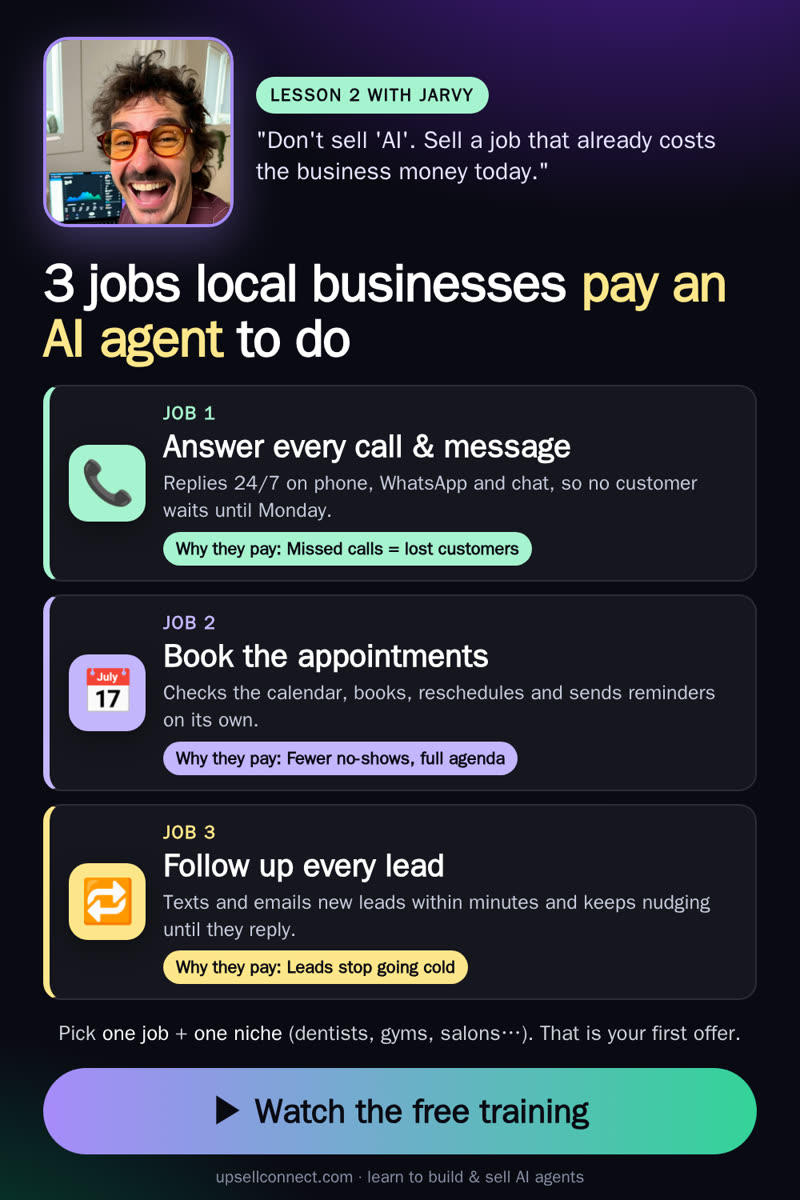 From lesson 2 of the free course
Watch Jarvy build an AI agent a business actually pays for
Free training, in English, about 45–60 minutes: an agent that takes real actions, how to price it as setup + retainer, and how to find the first clients. No coding background needed.
Watch the free training →Free · no credit card
Questions
What is an n8n AI agent?
An n8n AI agent is a workflow in n8n built around the AI Agent node. A trigger (for example a chat message, a form or an email) starts it, a chat model such as OpenAI or Anthropic decides what to do, a memory node remembers the conversation, and tool nodes let it take actions like checking a calendar, sending an email or calling an API.
Is n8n free for building AI agents?
The self-hosted community edition of n8n is free to use under its fair-code license; you pay for your own server and for the AI model you call. n8n Cloud is a paid hosted plan. Check n8n.io/pricing for current plans, because they change.
Do I need to code to build an AI agent in n8n?
No. You connect nodes on a visual canvas and write the instructions for the agent in plain English (the system message). A Code node is available if you want it, but a first useful agent can be built without writing code.
Which chat model should I use in the n8n AI Agent node?
Any chat model with good tool calling works, for example models from OpenAI or Anthropic. Start with a fast, low-cost model for testing, then switch to a stronger model if the agent picks the wrong tools or misunderstands requests.
What is the difference between n8n automation and an n8n AI agent?
A normal n8n workflow follows fixed steps you design. An AI agent decides at run time which tools to use and in what order, based on the message it receives. Many good builds combine both: an agent for the messy conversation, fixed steps for the reliable parts.
Can you sell n8n AI agents to businesses?
Yes. Agencies build n8n AI agents that answer leads, book appointments or sort inboxes for local businesses and charge a setup fee plus a monthly retainer for hosting, monitoring and improvements. What you earn depends on your niche, pricing and clients; this is a method, not a promise of income.
Current n8n plans: n8n.io/pricing.