

- Genjutsu edits an existing 4–30 second clip. It does not generate video from scratch.
- Motion Transfer keeps the motion, camera and timing and rebuilds the scene from up to 30 reference images. Object Swap changes one thing (a person, outfit, product, location or object) and leaves the rest.
- Higgsfield's own price for a 15-second clip is about $2.00 at 480p up to about $7.20 at 1080p, the same for both modes.
Motion Transfer: the same move, a new person or place
Higgsfield introduced Genjutsu on 31 August 2026. In Motion Transfer mode, in Higgsfield's words, it "keeps the motion, camera and timing while rebuilding the scene from your references." You upload one clip of 4 to 30 seconds, add up to 30 reference images for the characters, products, wardrobe and setting, and the movement of the original drives the new video. It works on real footage and on video that was generated before.
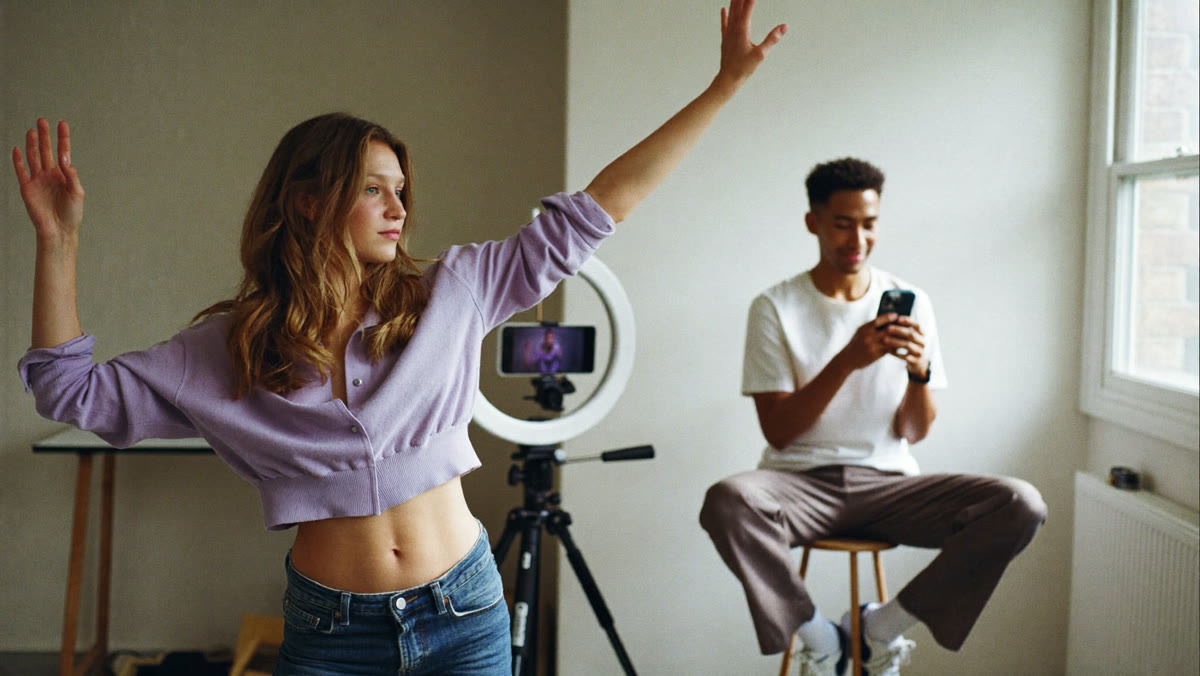
This is the useful part for ads: a hook that already gets watched has a rhythm, a camera move and a cut that work. Motion Transfer lets you keep that and change the person, the location or the style around it.
Your angleTake the client's best-performing short video and rebuild it for different buyers: the same 15 seconds with a different presenter, setting or season. Sell it as a "winner remix": one proven clip in, five versions for five audiences out, with a report on which one did best.
Source: Higgsfield: Meet Higgsfield Genjutsu (31 Aug 2026) · Genjutsu product page
Object Swap: change the product, keep the shot
Object Swap changes a selected element, such as a character, outfit, product, location or object, while the rest of the original shot stays the same. A full prompt is not required: Higgsfield says "a preset alone can drive the entire change, a short description is optional for anything more specific."
Higgsfield lists style swaps, wardrobe changes, ad variations, content repurposing and AI influencer content as use cases. The last one is how we use AI video ourselves: Jarvy, our AI teacher, is an AI-generated character, and we say so on every page.
Your angleA webshop with one good lifestyle video and twenty products is the easiest client to pitch. Swap the product into the same clip for each new item or colour, check every frame, and deliver a ready-to-post set. Price it per product, not per credit.
Source: Higgsfield Genjutsu product page and FAQ · Higgsfield blog
Presets, many versions and what a clip really costs
Genjutsu comes with more than 30 presets and lets you "run many versions from one setup, then generate more of whatever works." Genjutsu Lite is the "faster and cheaper" version for everyday trends: up to 30 seconds at 720p or 1080p.
Higgsfield publishes its own price table. Both modes cost the same; a 15-second clip costs 40 credits (about $2.00) at 480p, 104 credits (about $5.20) at 720p and 144 credits (about $7.20) at 1080p. Costs can vary with settings, and the app shows the price before each run.
Your angleTen 1080p versions of a 15-second clip cost about $72 in credits by Higgsfield's numbers. Testing at 480p first (about $2 each) and only rendering the winners at 1080p keeps that low. Your margin is in the brief, the selection and the reporting, so sell a monthly "remix retainer" with a fixed number of versions.
Source: Higgsfield blog: settings and pricing table · Genjutsu Lite on the product page
You no longer need a new shoot for a new ad. You need the one clip that already works.
Overview: three ways to use it, three services
Based on Higgsfield's own pages linked above. Prices are Higgsfield's and can change, so check the app before you quote a client. For longer clips made from scratch, see last week's Kling 4.0 and Higgsfield Marketing Studio briefing.
| Motion Transfer | Object Swap | Genjutsu Lite | |
|---|---|---|---|
| What changes | Person, setting and look; motion stays | One element; the rest stays | Same idea, faster and cheaper |
| Input | 4–30 s clip + up to 30 references | 4–30 s clip + preset or short prompt | Up to 30 s clip |
| Output | Up to 1080p | Up to 1080p | 720p or 1080p |
| Service to sell | Winner remix: 5 versions for 5 audiences | Product swap pack, priced per product | Monthly remix retainer for trends |
Before you sell a video remix service: 5 checks
- Own the source clip. A viral video from someone else belongs to someone else, and so does its music. Remix footage the client owns or has licensed, and write that down.
- Permission for every face and voice. Get written consent before you swap a real person in or out. A clearly labelled AI character is safer than a lookalike.
- Label it where platforms ask. Several platforms ask you to disclose realistic AI-made people or scenes. Check each channel's rules before you post.
- Check every frame. Swapped products can warp, logos can blur and hands can still go wrong. A person watches each version before it goes out.
- Price the outcome, not the credits. Credits are a few dollars per clip; picking the clip, briefing the versions and reporting what sold is the value. Our pricing calculator helps you set a monthly fee.
Remix the clip with the best watch time, not the one the client likes most.
Compare versions at 480p, pay for 1080p only on the ones that win.
Cost per sale of the remix against the original. That keeps the retainer going.
Get the next briefing in your inbox
One short email when there is AI news that matters for people who sell to businesses. Sources included, no hype.
FAQ
What is Higgsfield Genjutsu?
Genjutsu is a Higgsfield video tool, introduced on 31 August 2026, that transforms an existing clip instead of generating one from scratch. Motion Transfer keeps the motion, camera and timing and rebuilds the scene from your references. Object Swap changes one selected element, such as a character, outfit, product, location or object, and keeps the rest of the shot.
How long can a Genjutsu clip be?
Higgsfield says Genjutsu supports reference videos of 4 to 30 seconds, up to 30 reference images per generation and output up to 1080p. Genjutsu Lite is the faster and cheaper version for up to 30 seconds at 720p or 1080p.
How much does Genjutsu cost?
Both modes cost the same. Higgsfield's own table for a 15-second clip: 40 credits (about $2.00) at 480p, 104 credits (about $5.20) at 720p and 144 credits (about $7.20) at 1080p. Credit costs can vary with settings, and the app shows the cost before each run.
Can I remix someone else's viral video with Genjutsu?
Technically the tool accepts any clip, but the footage, the people in it and often the music belong to someone else. For client work, use footage the client owns or has licensed, get written permission for every real face and voice, and label AI-made people where a platform asks for it.
 Recorded training · real agent screens
Watch a team of AI agents do real client work
In the free training you will:
- See agents handle leads, follow-up, content research and spreadsheets, step by step.
- Learn how to use it for your own business or whitelabel it for clients.
- Leave with a next-step plan you can start the same week. No coding required.
Free training. No income guarantee: results depend on your own work and clients.
What you learn to deliverReady to start this week?
Skip the wait: get the full course
€497 one-time · instant login after paying
- 6 modules: build agents for leads, follow-up, research and reporting
- Price calculator + proposal and outreach templates
- Progress tracking, lifetime access, no coding needed
Not sure yet? Watch the short video first · compare all 3 options
Secure checkout via Stripe (+2% service fee). No income guarantee: results depend on your own work and clients.